
Rev Storm4.1.0 - Google Play
You'll be able to see results in few seconds.
Publisher Description

AVAILABILITY
Download your Revenue Storm eBooks to your Android device. This app is for licensed users only through the XanEdu Nimble service, a secured content control and delivery platform.
Log in to your Nimble online account to download Revenue Storm materials into the app.
Android operating system 4.0 or later is required.
DESCRIPTION
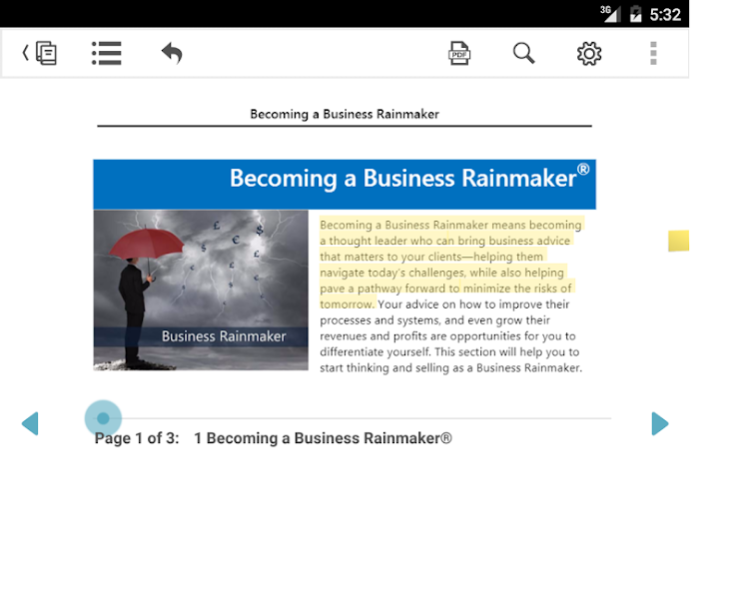
The Revenue Storm App makes viewing, managing and interacting with your eBook easy and efficient.
FEATURES & BENEFITS
* Highlight and take notes with advanced options and customization features to make the app your own
* View course materials online or offline for anytime, anywhere access
* Easily search for information, and navigate directly to results in your material
* Expand charts and graphs for easier viewing with the touch of your fingertips
ABOUT REVENUE STORM
Revenue Storm is a global sales consulting firm that helps clients implement processes and disciplines to drive sustained revenue acceleration. We offer more than just sales training. We excel at sales force transformation and have helped clients close billions in competitive sales pursuits. We use a holistic, science-based approach combining training, software, coaching, consulting, and diagnostics to help you get the results you want.
To learn more about how you can sell differently visit www.revenuestorm.com.
About Rev Storm
The company that develops Rev Storm is XanEdu Publishing, Inc.. The latest version released by its developer is 4.1.0.
To install Rev Storm on your Android device, just click the green Continue To App button above to start the installation process. The app is listed on our website since 2023-04-24 and was downloaded 0 times. We have already checked if the download link is safe, however for your own protection we recommend that you scan the downloaded app with your antivirus. Your antivirus may detect the Rev Storm as malware as malware if the download link to com.XanEdu.Nimble.RevenueStorm is broken.
How to install Rev Storm on your Android device:
- Click on the Continue To App button on our website. This will redirect you to Google Play.
- Once the Rev Storm is shown in the Google Play listing of your Android device, you can start its download and installation. Tap on the Install button located below the search bar and to the right of the app icon.
- A pop-up window with the permissions required by Rev Storm will be shown. Click on Accept to continue the process.
- Rev Storm will be downloaded onto your device, displaying a progress. Once the download completes, the installation will start and you'll get a notification after the installation is finished.
Program Details
System requirements
Download information
Pricing
Version History
version 4.1.0
posted on 2023-04-24
Updates for Minimum SDK requirement.
version 4.0.3
posted on 2019-10-22
Added support for 64-bit requirement.
version
posted on 2017-01-06
- Bug Fixes
version
posted on 2016-12-21
- Bug Fixes,- Support for new Comment Annotation feature
Disclaimer
Official Google Play Link
We do not host Rev Storm on our servers. We did not scan it for viruses, adware, spyware or other type of malware. This app is hosted by Google and passed their terms and conditions to be listed there. We recommend caution when installing it.
The Google Play link for Rev Storm is provided to you by apps112.com without any warranties, representations or guarantees of any kind, so access it at your own risk.
If you have questions regarding this particular app contact the publisher directly. For questions about the functionalities of apps112.com contact us.
